

LINE 是台灣人最常使用的社群聊天工具之一,在 LINE 聊天頁面裡不僅有工作群組、家人朋友的聯絡,甚至偶爾也會跳出商家優惠資訊或社群討論等,有時一忙起來,就累積了上百條,甚至上千條未讀訊息,一堆聊天室訊息要一個一個點掉,其實相當耗費時間與精力,有鑑於此,如果想要一鍵將所有未讀訊息變為已讀,那麼一定要學會下面這招 LINE 未讀訊息清理大法!
步驟 1:首先,進入 LINE App 的「聊天」頁面,接著點擊上方的「欄目」圖示。

步驟 2:下一步,即可點選右上角的「全部已讀」選項。
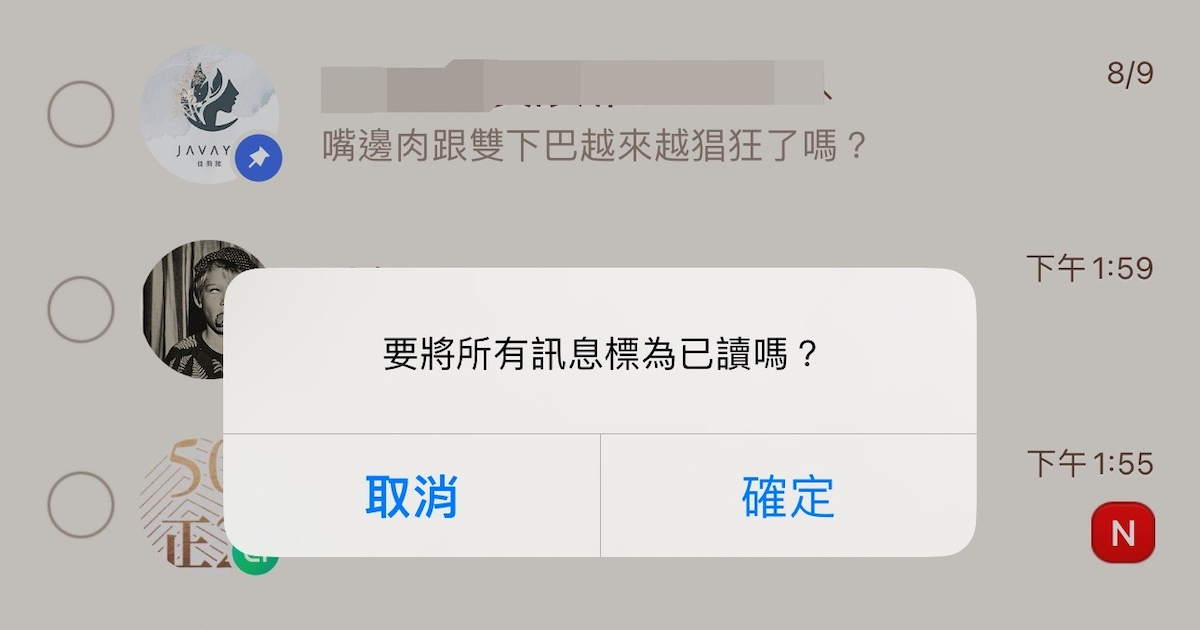
步驟 3:在跳出的確認視窗中,點選「確定」。
步驟 4:這時所有的聊天室訊息都會被標示全數已讀,不必再一個一個點掉。
本文同步刊載於 PC home 雜誌
歡迎加入 PC home 雜誌粉絲團!
- 延伸閱讀:如何讓 LINE 手機版和電腦版同步跳通知?
- 延伸閱讀:如何更改 LINE 聊天頁面上方的顯示資訊?
- 延伸閱讀:如何變更 LINE TODAY 分頁為通話?



I definitely enjoying every little bit of it. It is a great website and nice share. I want to thank you. Good job! You guys do a great blog, and have some great contents. Keep up the good work. koi toto http://uberant.com/article/2187594-online-slot-video-games-an-entire-manual-in-order-to-actively-playing-functions-as-well-as-successful-methods/
You will be permitted to posting companies, yet not one-way links, except in cases where they can be permitted plus for issue. koi toto http://uberant.com/article/2187599-online-slot-video-gaming-every-thing-to-consider-regarding-video-games-bonus-deals-as-well-as-game-play/
Continue the nice function, We study couple of articles about this web site as well as I believe that the internet weblog is actually actual fascinating and it has obtained arenas associated with wonderful info. slot777 http://uberant.com/article/2187600-online-slot-video-games-uncover-well-liked-slot-machine-games-thrilling-functions-as-well-as-free-of-charge-perform-/
In the form of Inexperienced, Now i'm once and for good seeking via the internet just for articles or reviews which has been about help others. With thanks. koitoto http://uberant.com/article/2187605-koitoto-exploring-the-digital-entertainment-experience/